Easily access your revived photos with Google Drive, and download links, after Capture Australia scans and recovers your treasured memories!
How to Access Your Revived Photos with Google Drive
An easy, step-by-step guide for everyone
“Enjoy your restored memories in just a few clicks, with no technical experience needed.”
What is Google Drive?
Google Drive is an online storage service where you can safely keep photos and documents in the cloud. Once your photos have been restored and digitised, we'll send a special Google Drive link, making it easy for you to view, share, and download your images.
Step-by-Step: Using Your Google Drive Download Link
1. Receive Your Link
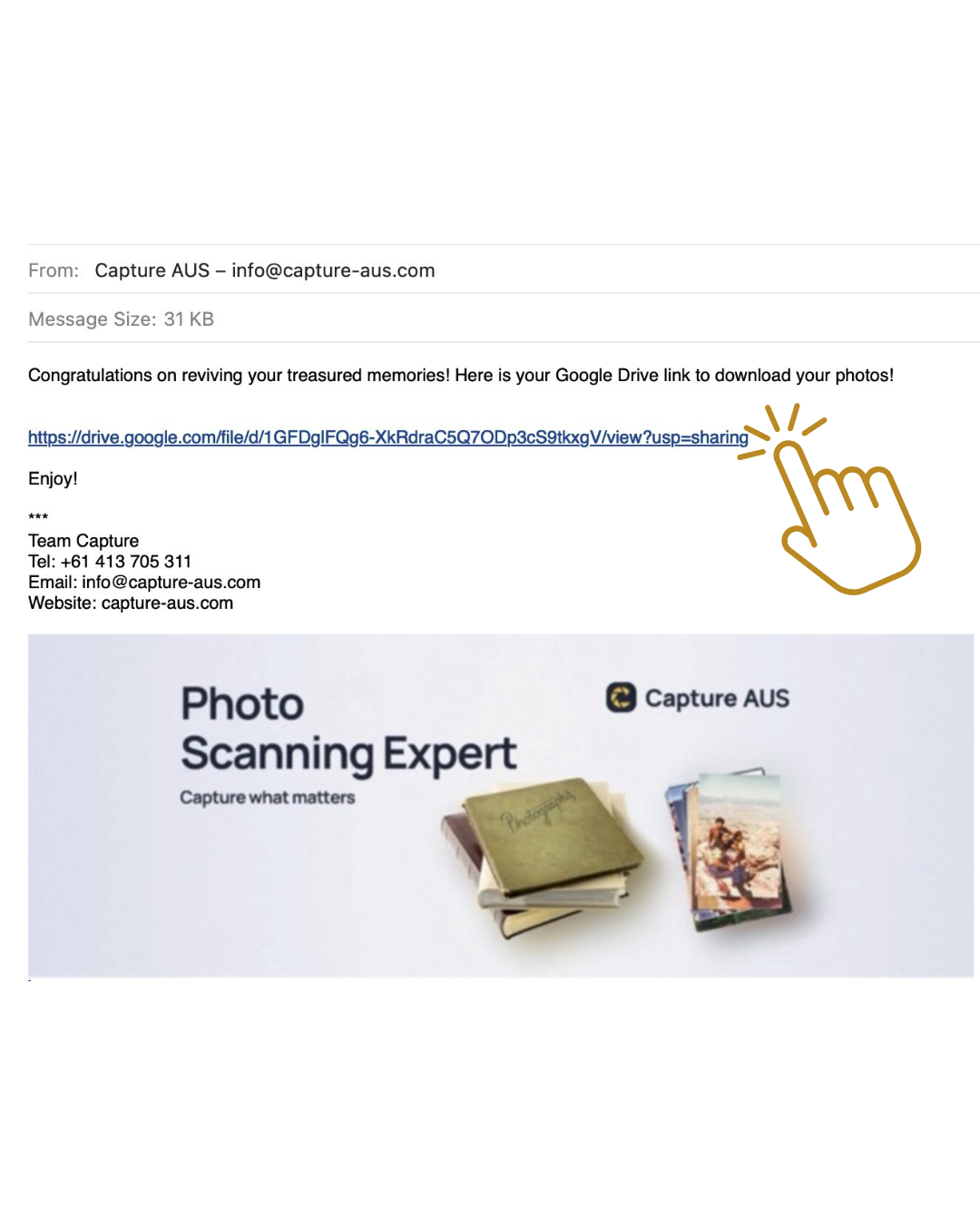
After digitisation, you’ll receive an email from Capture Australia with a Google Drive link, your key to unlocking your revived photos.
2. Open Your Email
Log into your email account and find our message. Open it to get started.
3. Click the Download Link
There’ll be a highlighted blue link for your photos in the email. Click it to go straight to your Google Drive folder.
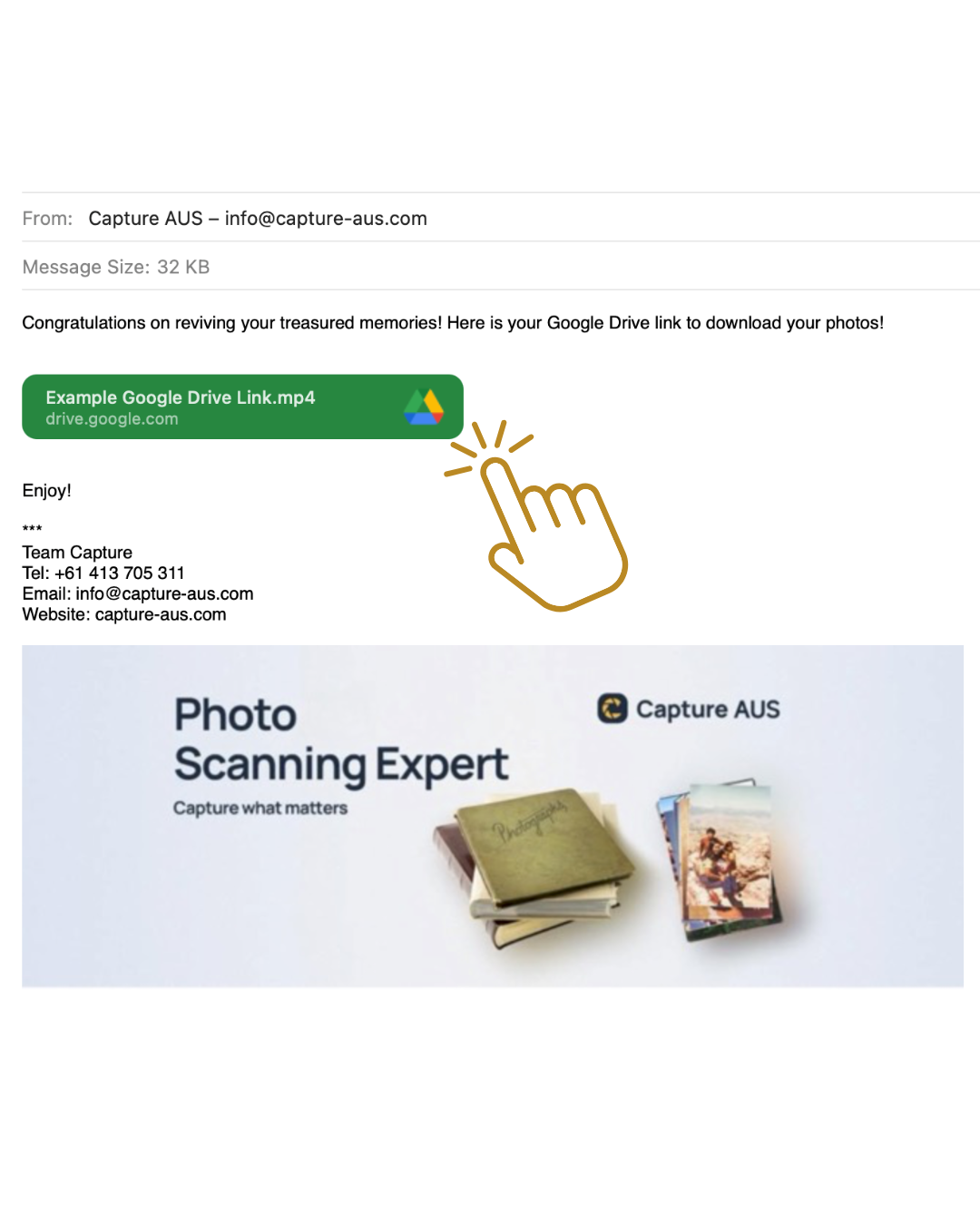
It may also sometime appear as a "Preview" button - don't worry! It's the same link and it's safe to click!
4. View Your Photos
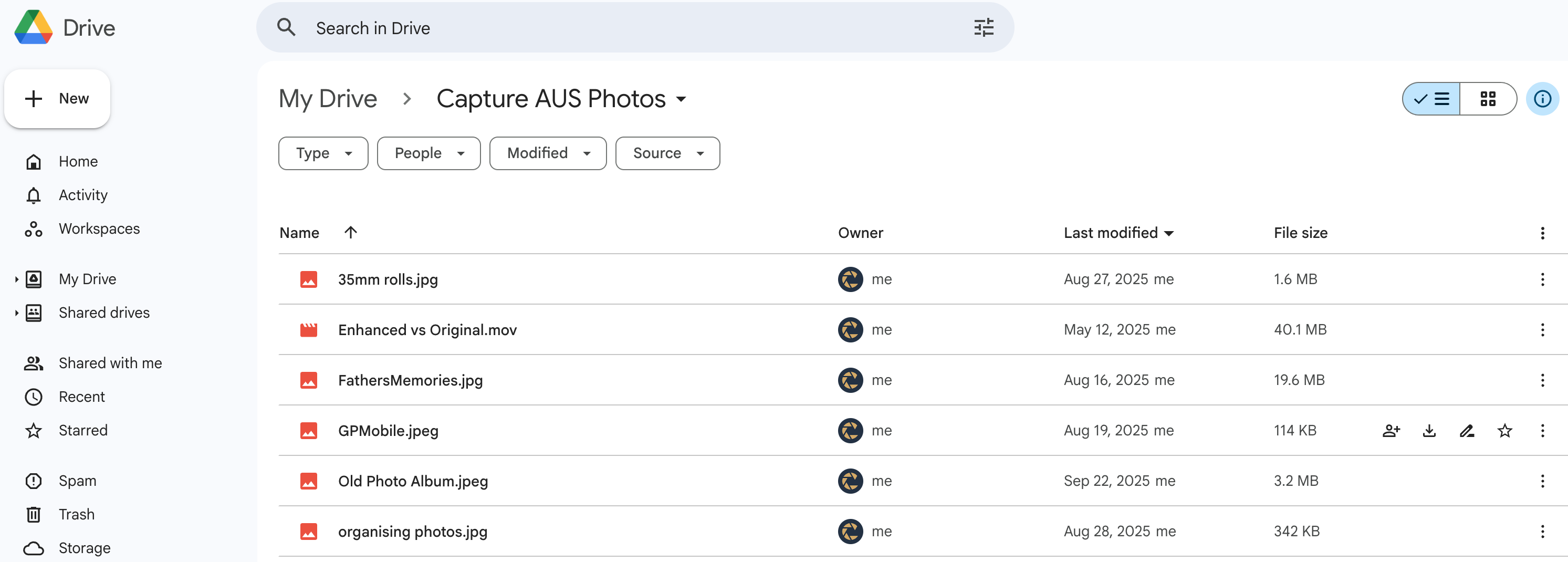
On the Google Drive page, small thumbnail previews of your pictures will appear. Click any photo to open it in a larger view.
5. Download Your Photos
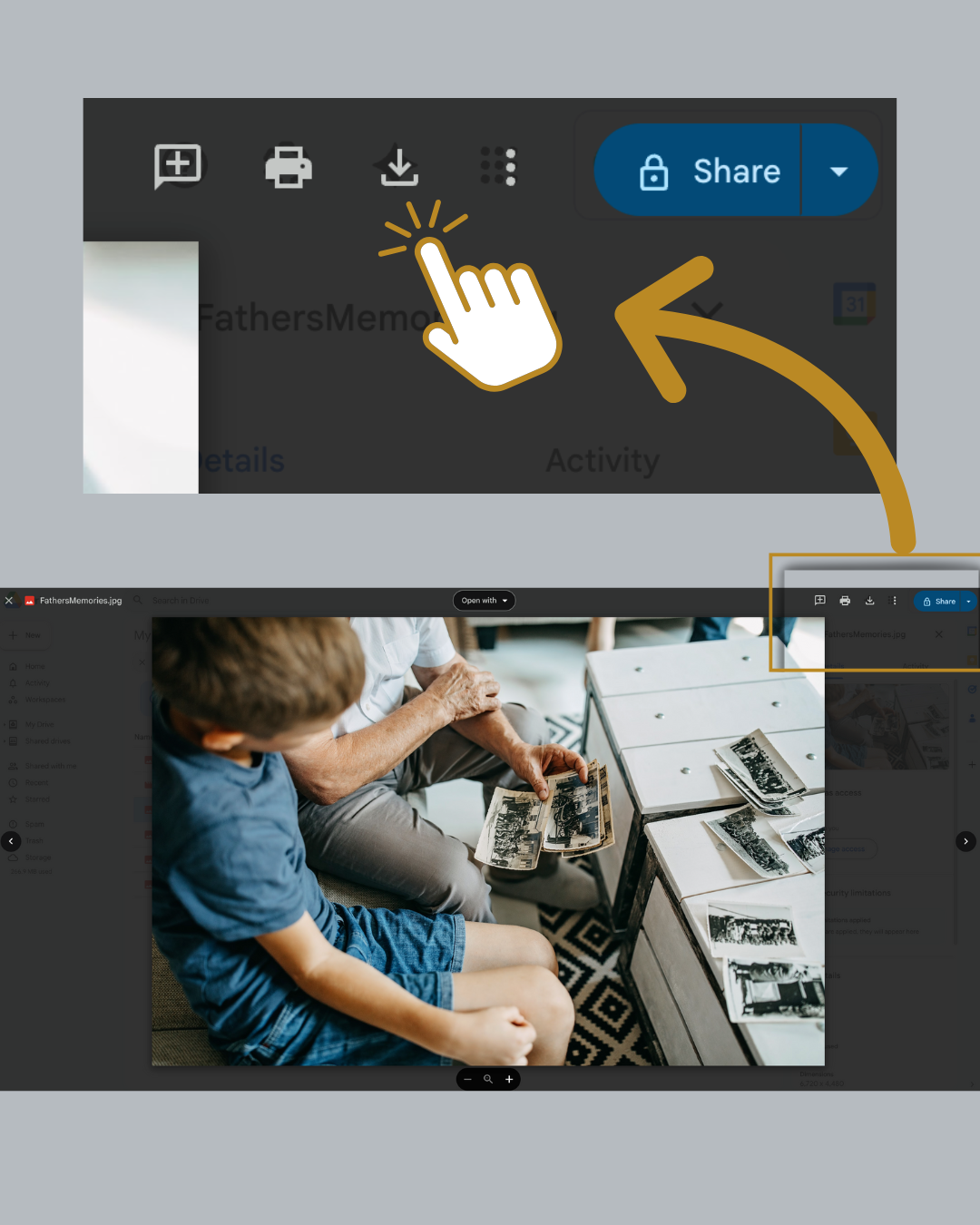
To save a photo to your device, hover your mouse or tap the image and look for the download icon, a downward arrow. Click it to save that photo onto your computer, tablet or phone.
6. Share or Print Your Memories
Once downloaded, you can print your photos or share them with family and friends.
“You don’t need to be tech-savvy. Just follow these easy steps.”
Easy Tips for Google Drive
If you get stuck, it’s perfectly fine to ask someone you trust for help.
Google Drive offers safe online storage. Once you’re comfortable, try using it for other important files and photos.
Keep your download link safe and share it only with trusted people, as it provides access to your personal memories.
Wrapping Up Your Photo Access
Accessing your revived photos in Google Drive is easy and secure. At Capture Australia, with partner shops in Sydney, Newcastle, Canberra and Brisbane, our mission is to make enjoying your cherished memories simple for everyone. To learn more about how Capture connects directly with Google Photos, read our overview on Capture in the Google Photos app.
Have a question? Reach out to our support team at any time.
“Memories brought back to life. Ready to enjoy, share and print with ease.”
Not yet scanned your collection? Read about the hidden costs of not preserving your memories.